

A modern business website must do more than just look good. It should help visitors understand what you offer trust your brand and take action. Whether your goal is to get leads, sell products accept bookings or build credibility your website needs to be easy to use work on mobile phones be search engine friendly, secure, accessible and have good analytics and maintenance.
Clear and User-Friendly Website Design
A simple design makes your website easier to use. Put a navigation menu at the top with links like Home About Us, Services, Products, Blog and Contact. Use labels instead of creative wording that might confuse visitors. Your logo should be in the left corner and link to the homepage. Keep colours, fonts, spacing, buttons and styles the same across every page. A strong hero section should explain what your business does and have a call to action such as "Get a Quote " "Book a Service," or "Shop Now.”
Mobile Responsiveness
Most customers browse websites on smartphones and tablets. A mobile friendly website automatically adjusts its layout, images, text and buttons for screen sizes. Mobile users should not have to zoom or scroll horizontally. Buttons must be easy to tap text should be easy to read. Menus should be simple. Avoid pop-ups that hide content. A mobile friendly website makes it easier for people to use helps with search engine optimisation and reduces the risk of visitors leaving.
Website Speed and Performance
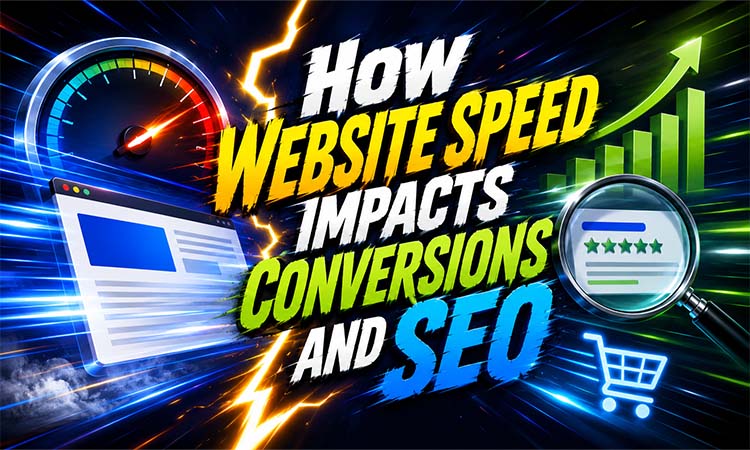
Website speed affects how happy customers are and how visible your website is in search engines. Slow pages make visitors frustrated and reduce sales. Important pages should load within two to three seconds. Compress images and use formats like WebP. Enable browser caching minify CSS and JavaScript remove unnecessary plugins and use a Content Delivery Network. Reliable hosting is equally important. Growing businesses may need hosting, cloud hosting or a Virtual Private Server.
Essential SEO Features
Search Engine Optimisation helps people find your website through Google and other search engines. Every page should have a SEO title and one clear H1 heading. Include keywords naturally in headings, content, URLs and image descriptions. Write a meta description for each important page. Add alt text to images, create internal links between related pages and maintain clean URLs. Submit an XML sitemap through Google Search Console so search engines can index your content. Structured data or schema markup, helps search engines understand business information, products, reviews, events and services.
Security and Website Reliability
Every modern website should use HTTPS through an SSL certificate. HTTPS encrypts information exchanged between the website and visitors. Prevents browsers from displaying a "Not Secure" warning. Set up backups for website files and databases. Store copies away from the server so the website can be restored after failure, accidental deletion or a cyberattack. Keep your Content Management System, themes, plugins and extensions updated. Use passwords, limit administrator access and enable two-factor authentication. Forms should. Sanitise user input to reduce security risks.
Accessibility and Inclusive Design
An accessible website can be used by people with abilities and devices. Add alt text to images labels to form fields, captions to videos and transcripts to audio content. Use contrast between text and background colours. Do not rely on colour alone to communicate instructions or errors. Users should be able to navigate menus, links, buttons and forms using a keyboard. Use fonts, suitable line spacing and body text of around 16 pixels. Organise content, with H1, H2 and H3 headings. Descriptive link text is more useful than "Click here.”
Analytics and Conversion Tracking
Google Analytics helps you see how people find your website, which pages they look at how long they stay and what they do on your website. Google Search Console gives you information about what people search for if your website is working right and if there are any problems with your website on phones. You can also use it to send maps of your website to Google and ask them to look at your website. You can track things like when people fill out contact forms click phone numbers make bookings buy things and sign up for newsletters. You can use something called UTM parameters to see how well your email, media and advertising campaigns are working.
CMS and Content Management
You need to pick a system to manage your website that's right for your business. WordPress is good for blogs, business websites and online stores that use something called WooCommerce. Shopify is good for selling things and Wix and Squarespace are easy to use and have visual editors. Your system should let you update pages manage pictures and videos make forms change SEO settings and control who can do what on your website. You should make a plan for the content on your website, including what pages you need what you will write about on your blog how often you will. What your brand is all about. If you make content regularly it can help people find your website show that you are an expert and keep people interested.
E-Commerce and Business Integrations
If you have a store you need to have good pictures of your products tell people about them say how much they cost and make it easy for them to find what they want. People should be able to put things in a cart see how much it will cost choose how they want it shipped and pay for it in a way that's safe like with Stripe or PayPal. If you have a business that offers services you might need a way for people to book appointments pay online or ask for a quote. You should connect your website to tools that help you market to people by email manage your customers talk to people in time make invoices and use social media. This can help you do work and follow up with people faster.
Legal Compliance and Privacy
You need to have a privacy policy that explains how you collect and use peoples information contact details and cookies. If you use Google Analytics advertise or use cookies that're not necessary you might need a banner that asks people if it is okay to track them. Depending on what kind of business you have you might need to have terms and conditions a refund policy, information about delivery and a statement about accessibility. The laws are different in places so you should check your policies often.
Website Maintenance Checklist
Your website needs to be taken care of all the time. You need to renew your domain name on time, make sure your website is working, update your software, check your backups, fix links, update old content and look at Google Analytics. You should test your forms and checkout pages to make sure they are working.
You should check these things as your business and the people who visit your website grow.
If you put together a website that works well on mobile phones, speed, SEO, security, accessibility, Google Analytics, integrations and compliance your website will be a tool that helps your business, not just a brochure, on the internet.