
Executive Summary
On-page SEO and technical SEO are crucial for a search strategy. They both help with search visibility and user experience. They focus on different things.
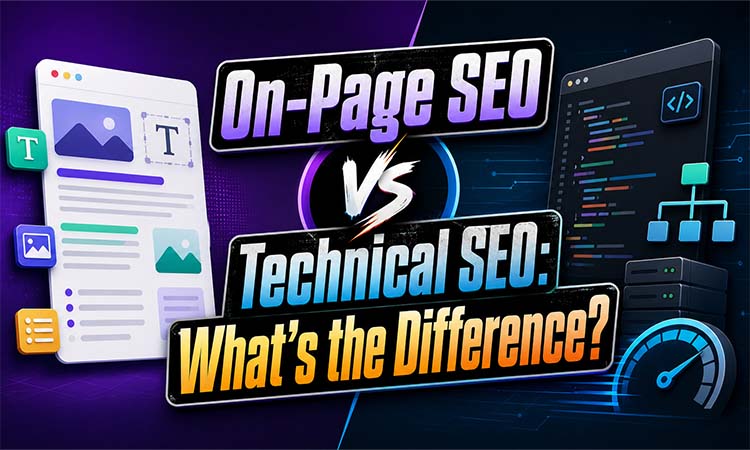
On-page SEO makes individual pages more relevant and useful. This includes things like titles, descriptions, headings, content, images and internal links. Technical SEO on the hand focuses on the websites infrastructure like crawling, indexing, mobile performance, site speed, canonicals, XML sitemaps and structured data.
Neither on-page SEO nor technical SEO works alone. Great content is hard to find if search engines can't crawl or index it. A strong website with weak content won't perform well either. Good SEO needs both.
What Is On-Page SEO?
On-page SEO is about making the visible parts of a webpage easy for users and search engines to understand. The goal is to make it more relevant, readable and visible in search results.
Title Tags and Meta Descriptions
A title tag tells users and search engines what a page is about. It should be accurate, descriptive and relevant to the page. A good title can get clicks.
A meta description summarizes the page. It doesn't guarantee rankings. Search engines might use it as a result snippet. A clear persuasive description can get clicks.
Headings and Content Quality
Headings make content easier to scan. The main heading should describe the page clearly while subheadings should organize supporting information
Content should answer the users question clearly. It should be original, accurate, readable and written for people. Repeating keywords unnaturally can reduce quality. Might be treated as keyword stuffing.
Internal Links and Images
Internal links connect pages support navigation and help search engines discover content. Descriptive anchor text is more useful than phrases, like "click here."
Images should use file names, suitable compression and descriptive alt text. Alt text should explain the image naturally without forcing keywords.
For example a page targeting "best beginner running shoes" could include a title, clear comparisons, optimized images and relevant internal links.
What Is Technical SEO?
Technical SEO is about making it easy for search engines to find, understand and show your websites content. It improves the infrastructure that helps search engines crawl, render, index and show your website fast on mobile and desktop.
Crawlability, Indexability, and Sitemaps
Search engines need to access your pages easily. If your robots.txt rules are wrong or you have noindex tags, broken links or server errors your useful content might not appear in search results.
An XML sitemap helps search engines find your URLs. It should only have pages that can be indexed.
Canonicals and Mobile-First Indexing
Canonical tags help search engines know which version of a page is the one. This reduces confusion. Helps your page rank better.
Search engines look at your websites version first. So your mobile pages should have the important content, links and structured data as your desktop pages.
Speed, Hreflang, and Structured Data
Fast and stable pages make users happy. Core Web Vitals check how fast your pages load, how responsive they are and how stable they look. If your pages are slow users might get. Your search performance might suffer.
Hreflang helps search engines understand which language and region your pages are for. This is useful for websites.
Structured data is code that helps search engines understand what your pages are about. It can tell search engines about products, reviews, events and more.
In terms on-page SEO is about what your page says. Technical SEO is about helping search engines access, understand and index your page correctly.
On-Page SEO vs Technical SEO
The difference is that on-page SEO checks if your page is useful and relevant. Technical SEO checks if search engines can find, crawl and index your page.
* On-page SEO includes things like content quality, headings, titles and internal linking.
* Technical SEO includes things like site architecture, speed and mobile usability.
Best Practices and Common Mistakes
For on-page SEO make sure your titles are accurate. Your descriptions should be useful. Your headings should be readable. Your content should be original. Your internal links should make sense. Your alt text should describe images.
Avoid titles, thin content and keyword stuffing.
For SEO keep your important pages easy to crawl. Your sitemap should be clean. Use canonicals consistently. Make your mobile pages usable. Fix links.
Common mistakes include blocking pages creating redirect chains and using conflicting canonicals.
SEO Audit Tools and Metrics
Google Search Console helps you monitor your websites performance. You can see your queries, impressions, clicks and rankings.
Screaming Frog can find titles, broken links and indexing problems.
PageSpeed Insights and Lighthouse can test your websites performance.
Ahrefs and similar tools can help you track your keywords and audit your website.
For, on-page SEO track your rankings, impressions, clicks and organic traffic.
For SEO track your indexed pages, crawl errors and server issues.
Monitor your statuses, mobile usability and structured data validity.
Keep an eye on your Core Web Vitals.
Practical SEO Checklist
Before you put something make sure you have a title that makes sense and a description that is useful. Use headings that're easy to follow write content that is original and about people add links to other parts of your website that help make your images good check that search engines can find and list your site make sure it works well on mobile phones check how fast it is update the list of pages on your site and use special tags like canonicals, hreflang or structured data when you need to. After you launch keep an eye on how you are doing in search results how much traffic you are getting and if search engines are finding and listing your site in Google Search Console.
Frequently Asked Questions
What is the main difference between on-page SEO and technical SEO?
Making your website pages better for search engines is about making each page good and useful. Making your whole website work better for search engines is, about helping search engines find look at and list your website.
Which is more important?
Both are important. Making your whole website work better for search engines helps search engines find and list your site and making your website pages better for search engines makes each page good enough to compete with sites.
Is structured data on-page or technical SEO?
It can be both. Most people think it is part of making your whole website work better because it involves adding code to your site and using special tools to check it.